Crop2PVC Logo
100% Secure & Client-Side Processing

PVC ID Card Printing & One-Click ID Card Crop Tool

Convert your official e-PAN, e-Aadhaar, e-EPIC Voter ID, Ration Card, ABHA, and Ayushman Card PDFs into premium-quality PVC card and A4 print formats with Crop2PVC ? your free online ID Cutter and PVC ID Cropper. Automatically crop your documents, choose 900 DPI, 600 DPI, or 300 DPI, and download PVC or A4 outputs in JPG and PDF formats in just 10 seconds. Enjoy automatic document cropping, 3mm white space for Ration Card printing, and manual crop adjustment whenever needed?all without Photoshop or additional cropping software.

1

Upload / Drag PDF

Select your e-Aadhaar, PAN, Voter ID, DL/RC, or Ayushman PDF file. Password protected PDF supported — 0 KB files uploaded to server.

2

Auto-Crop & Enhance

Smart auto-crop frames isolate Front & Back card regions into exact 85.6mm × 53.98mm CR80 ratio with photo magic enhancement.

3

Download & PVC Print

Export 900 DPI Ultra HD A4 PDF sheet calibrated for Epson & Canon card trays or download sharp PNG images.

Before vs After — See the Difference

Raw Document PDF

  • Full A4 page with unnecessary text & instructions
  • Password locked (requires manual entry every time)
  • Cannot print directly on Epson/Canon PVC trays

Crop2PVC Output PVC Card

  • Exact 85.60 mm × 53.98 mm ISO/IEC 7810 CR80 size
  • Photo magic enhancement (sharp photo regions)
  • Print-ready A4 PDF for Epson & Canon PVC trays

Two Ways to Convert Documents

Choose between the instant convenience of the browser or the raw processing speed of our offline standalone desktop software.

IN-BROWSER

Web-Based (No Software Method)

Format cards instantly directly inside your web browser. No download, setup, or configurations required.

  • Zero installation or configuration needed
  • Works on any mobile, tablet, or desktop browser
  • 100% Free forever — no login, no credits, no limits
  • Download PVC & A4 layouts in 900, 600, or 300 DPI
Start Converting Online
100% Free No Sign Up Unlimited Crop Lifetime Free
SUPER FASTDESKTOP APP

Offline Software (Local Processing)

Run standalone on your PC. Works 100% offline at sub-second speeds, bypassing internet upload times.

  • Sub-second conversion: Much faster than the web app
  • Affordable Plans: Choose from simple, low-cost plans starting at just ?33 per month, designed for regular PVC card creation and printing.
  • Download PVC & A4 layouts in 900 DPI, 600 DPI
  • Direct Print: Print directly to HP/Epson/Canon on Software
100% Free No Sign Up Unlimited Crop Lifetime Free

Professional PVC ID Card Printing Tools

All Tools

Image to Passport Size

Convert any image into a properly sized passport photo online in seconds. Crop, resize, and prepare your photo for passport, visa, ID card, application forms, and other official requirements with an easy-to-use passport photo maker.

Open Image to Passport Size
All Tools

ID Card Maker

Create professional and print-ready ID cards with the Crop2PVC ID Card Maker. Choose from ready-made templates for employee badges, school ID cards, doctor and medical IDs, church badges, volunteer cards, visiting cards, press passes, service dog ID cards, and more. Customize the name, photo, details, colors, and layout to create your own ID card quickly and easily.

Open ID Card Maker
All Tools

PVC ID Card Auto Cropper

Automatically crop e-Aadhaar, e-PAN, e-EPIC Voter ID, e-Ration Card, Ayushman, ABHA, e-Shram, UAN (EPFO), APAAR (ABC ID), and other official PDFs into PVC-sized (CR80) JPGs and A4 print formats. Upload PDFs downloaded directly from official portals such as <strong>UIDAI, UTIITSL, NSDL/Protean, ECI, EPFO</strong>, and other authorized government websites.

Open PVC ID Card Auto Cropper
Tool Guide #1

UIDAI e-Aadhaar Crop & Print Guide

Secure Password Unlock
Actual Aadhaar PDF Crop Demonstration

1. Raw e-Aadhaar PDF

Aadhaar

2. Side-by-Side (AFTER A)

Aadhaar PVC Card

3. Vertical Stacked (AFTER B)

Aadhaar A4 Print

Convert Your Official e-Aadhaar PDF into Premium-Quality PVC Card & A4 Print Formats

Convert your official e-Aadhaar PDF into premium-quality PVC card and A4 print formats in just 10 seconds. Automatically detect and crop Aadhaar card sides, choose 900 DPI, 600 DPI, or 300 DPI, and download PVC or A4 outputs in JPG and PDF formats. Adjust the crop manually whenever needed—no Photoshop or additional cropping software required.

Tool Guide #2

e-PAN Card Crop & Print Tool Guide

NSDL / UTIITSL 10-Second Auto Crop
Actual PAN Card PDF Crop Demonstration

1. Raw e-PAN PDF

PAN Card

2. Side-by-Side (AFTER A)

PAN PVC Card

3. Vertical Stacked (AFTER B)

PAN A4 Print

Convert Your Official e-PAN PDF into Premium-Quality PVC Card & A4 Print Formats

Convert your official NSDL or UTIITSL e-PAN PDF into premium-quality PVC card and A4 print formats in just 10 seconds. Automatically crop the PAN card's front and back sides, choose 900 DPI, 600 DPI, or 300 DPI output, and download both PVC and A4 layouts in JPG or PDF format. If needed, manually adjust the crop position for accurate results—all without Photoshop or additional cropping software.

Tool Guide #3

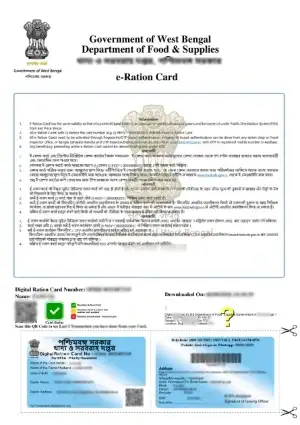
e-Ration Card Crop & Print Guide

Smart Ration PDF Cropping
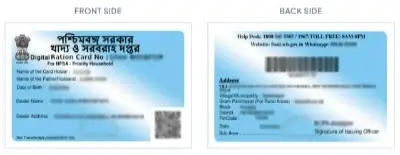
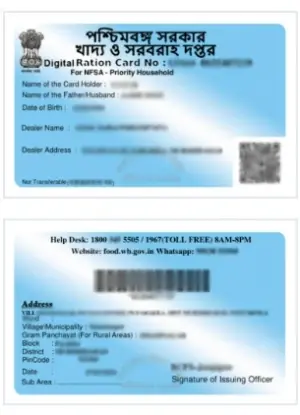
Actual Ration Card PDF Crop Demonstration

1. Raw Ration Card PDF

Ration Card

2. Side-by-Side (AFTER A)

Ration PVC Card

3. Vertical Stacked (AFTER B)

Ration A4 Print

Convert Your e-Ration Card into a Print-Ready Format in Just 10 Seconds!

Upload your official Ration Card or e-Ration Card PDF, select the document type, and automatically crop your card into a professional PVC-ready format. The tool includes 3mm white space around the cropped card, helping provide a clean margin for printing and cutting. No Photoshop or separate cropping software required!

How It Works

1

Upload Your Ration Card PDF

Upload your original Ration Card or e-Ration Card PDF. If the file is password-protected, enter the password to continue processing.

2

Automatic Crop with 3mm White Space

Click Process Documents to automatically detect and crop your ration card. The tool adds a 3mm white margin around the crop for a clean, consistent output suitable for PVC card preparation.

3

Choose Quality & Download

Select 900 DPI, 600 DPI, or 300 DPI, then download your cropped card in JPG or PDF format. A4 front-and-back print layouts are also available in both formats.

4

Adjust the Crop Manually

If the automatic crop needs correction, fine-tune the position using the built-in editing feature. Get greater control over your final output without switching to another tool.
Tool Guide #4

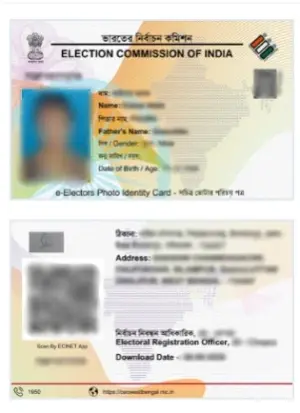
Election Commission Voter ID (e-EPIC) Guide

NVSP e-EPIC Fast Crop
Actual Voter ID Crop Demonstration

1. Raw e-EPIC PDF

Voter ID

2. Side-by-Side (AFTER A)

Voter PVC Card

3. Vertical Stacked (AFTER B)

Voter A4 Print

Convert Your Voter ID into a Professional, Print-Ready Card in Just 10 Seconds!

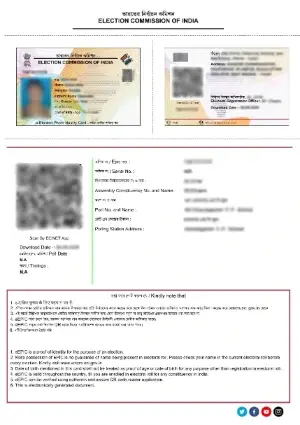
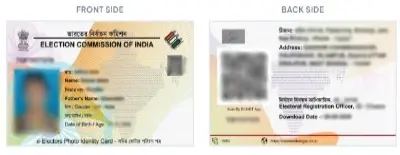
Upload your official e-EPIC Voter ID PDF, select your card type (Voter Old or Voter New), and let the tool automatically crop your voter card into a clean, print-ready format. Enjoy high-quality exports, flexible download options, and easy manual adjustments—all without Photoshop!

How It Works

1

Upload & Select Voter Card Type

Upload your original e-EPIC PDF from the official Election Commission website. Choose Voter Old or Voter New based on your card design. If the PDF is password-protected, enter the password to continue.

2

Automatic Crop & Premium Quality Export

Click Process Documents to automatically crop the voter card. Select your preferred resolution—900 DPI, 600 DPI, or 300 DPI—and generate high-quality output in seconds.

3

PVC & A4 Print Downloads

Get your cropped voter card in both JPG and PDF formats. You can also download the A4 print layout with front and back on the same page, making it convenient for printing and saving.

4

Easy Manual Adjustment

If the automatic crop needs any correction, adjust the crop position manually using the built-in editing feature for better alignment.

Fast processing. Flexible output. Complete control—your Voter ID, ready for printing!

Tool Guide #5

Ayushman Bharat Card Crop & Print Guide

PMJAY Golden Card Auto Crop
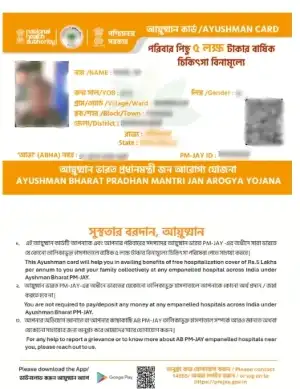
Actual Ayushman Card PDF Crop Demonstration

1. Raw Ayushman PDF

Ayushman Card

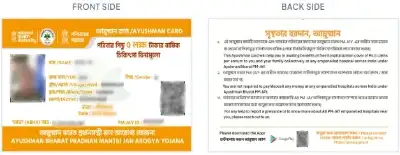
2. Side-by-Side (AFTER A)

Ayushman PVC Card

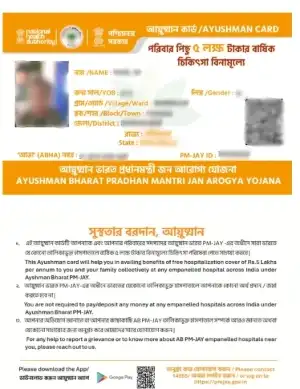
3. Vertical Stacked (AFTER B)

Ayushman A4 Print

Convert Your Ayushman Bharat Card into a High-Quality PVC Print Format

Upload your official PMJAY Ayushman Bharat PDF and let our smart tool automatically extract your Golden Card. Ensure that crucial details like the PMJAY ID and QR code are perfectly preserved for a premium CR80 PVC print. Get high-resolution outputs instantly without any Photoshop skills!

How It Works

1

Upload Your PMJAY PDF

Upload your original Ayushman Bharat PDF. If the file requires a password, enter it to continue.

2

Instant Golden Card Crop

Click Process Documents. The tool automatically detects the front and back of your Ayushman Card, applying a precise crop while keeping barcodes and text crisp.

3

Select Quality & Format

Choose from 900 DPI, 600 DPI, or 300 DPI. Download the PVC layout or A4 front-and-back print layout in JPG or PDF format.

4

Fine-Tune the Alignment

If the automated crop needs adjustment, use the manual crop tool to get the perfect frame.

Tool Guide #6

ABHA Health Card Crop & Print Guide

NDHM ABHA Auto Crop
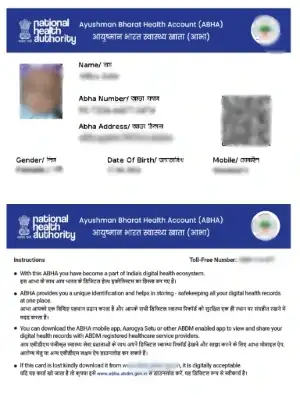
Actual ABHA Health Card PDF Crop Demonstration

1. Raw ABHA PDF

ABHA Card

2. Side-by-Side (AFTER A)

ABHA PVC Card

3. Vertical Stacked (AFTER B)

ABHA A4 Print

Print Your ABHA Health ID Card with 1-Click Auto Crop

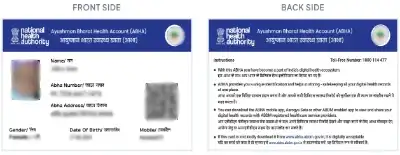
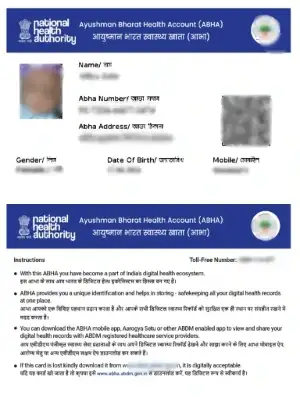
Upload your official ABHA (Ayushman Bharat Health Account) PDF. The tool perfectly isolates the front and back side of the ABHA card, retaining the 14-digit ABHA number, PHR address, and ABHA QR Code at ultra-high resolution. Ideal for creating durable PVC medical cards.

How It Works

1

Upload Your ABHA PDF

Upload your original ABHA PDF file downloaded from the NDHM portal.

2

Automatic Health Card Extraction

Click Process Documents. Our engine instantly crops the ABHA card into a standard PVC format (CR80) without any manual resizing or software.

3

Download PVC & Print Layouts

Download your ABHA card as separate Front & Back JPGs/PDFs, or as a single A4 printable page with both sides aligned perfectly. Supports up to 900 DPI.

1. Understanding ISO/IEC 7810 CR80 Card Standards

In modern digital identity management, printing high-quality PVC smart cards requires strict adherence to international standard dimensions. The global benchmark for identity cards, driver's licenses, bank debit cards, and government identity cards is the CR80 (ISO/IEC 7810 ID-1) format. Our tools automatically crop and resize your document to exactly 85.6mm × 53.98mm.

2. 100% Client-Side Privacy — 0 KB Data Uploaded to Cloud

Personal identification documents contain confidential identity numbers (Aadhaar number, PAN number, EPIC number, DOB, address). Online tools that upload your PDFs to remote cloud servers pose severe data breach risks.

Our platform executes 100% of processing inside your web browser using HTML5 Canvas API and WebAssembly JavaScript engines. Your files are never uploaded to any remote server, guaranteeing absolute zero data leakage.

Superfast Processing

Executed natively by your browser's JavaScript engine without slow server round-trips. Experience instant cropping, password removal, and PDF generation.

Exact CR80 PVC Specs

Pre-calibrated 85.6mm × 54mm card dimensions ready for direct printer output. Designed for compatibility with Epson L805/L8050 and Canon PVC card trays.

Frequently Asked Questions (FAQ)

Is Crop2PVC completely free?

Yes, Crop2PVC is 100% free with no hidden charges, subscriptions, or login requirements.

Are my uploaded ID cards safe?

Yes. No files are uploaded to any server. All processing takes place locally inside your browser.

What card sizes are supported?

Crop2PVC supports standard CR80 PVC card size (85.6mm × 54mm) as well as custom layout sizes.

What print quality does Crop2PVC provide?

Crop2PVC supports high-resolution output at 900 DPI, 600 DPI, and 300 DPI. You can choose the quality according to your printing requirements.

Are my files uploaded to the Crop2PVC server?

No. Crop2PVC is completely client-side. Your files are processed directly in your browser and are not uploaded to or stored on our server.

What types of documents can I crop?

You can upload official PDF documents downloaded from government or authorized websites, such as e-Aadhaar, e-PAN, e-EPIC Voter ID, Ration Card, ABHA Card, Ayushman Card, and other supported documents.

Can I crop password-protected PDF files?

Yes. Password-protected PDFs are supported. Crop2PVC will ask you to enter the PDF password before processing the protected file.

Do I need to install any software?

No. Crop2PVC works directly in your web browser. No additional software or application is required.

Do I need to create an account or log in?

No. Crop2PVC does not require registration or login. You can use the tools directly in your browser.

Can I create PVC card and A4 print formats?

Yes. Crop2PVC allows you to create print-ready PVC card layouts as well as A4 print formats from supported documents.

Can I use Crop2PVC on mobile and desktop?

Yes. Crop2PVC works in modern web browsers on smartphones, tablets, laptops, and desktop computers.